
Need MFA help?
What best describes your issue?
I know what I am doing, I am just looking for the link to the user portal to reset my MFA.
The login page looks different to what I was expecting.
The login page has recently been updated to improve the
user experience and security.
I have forgotten the email address I used to register my IressID.
Search your email inboxes for emails from "noreply@id.iress.com" and with Welcome in the Subject line. This should help you identify which email address you used to register your IressID.
I know the email address I used to register my IressID but have forgotten my password.
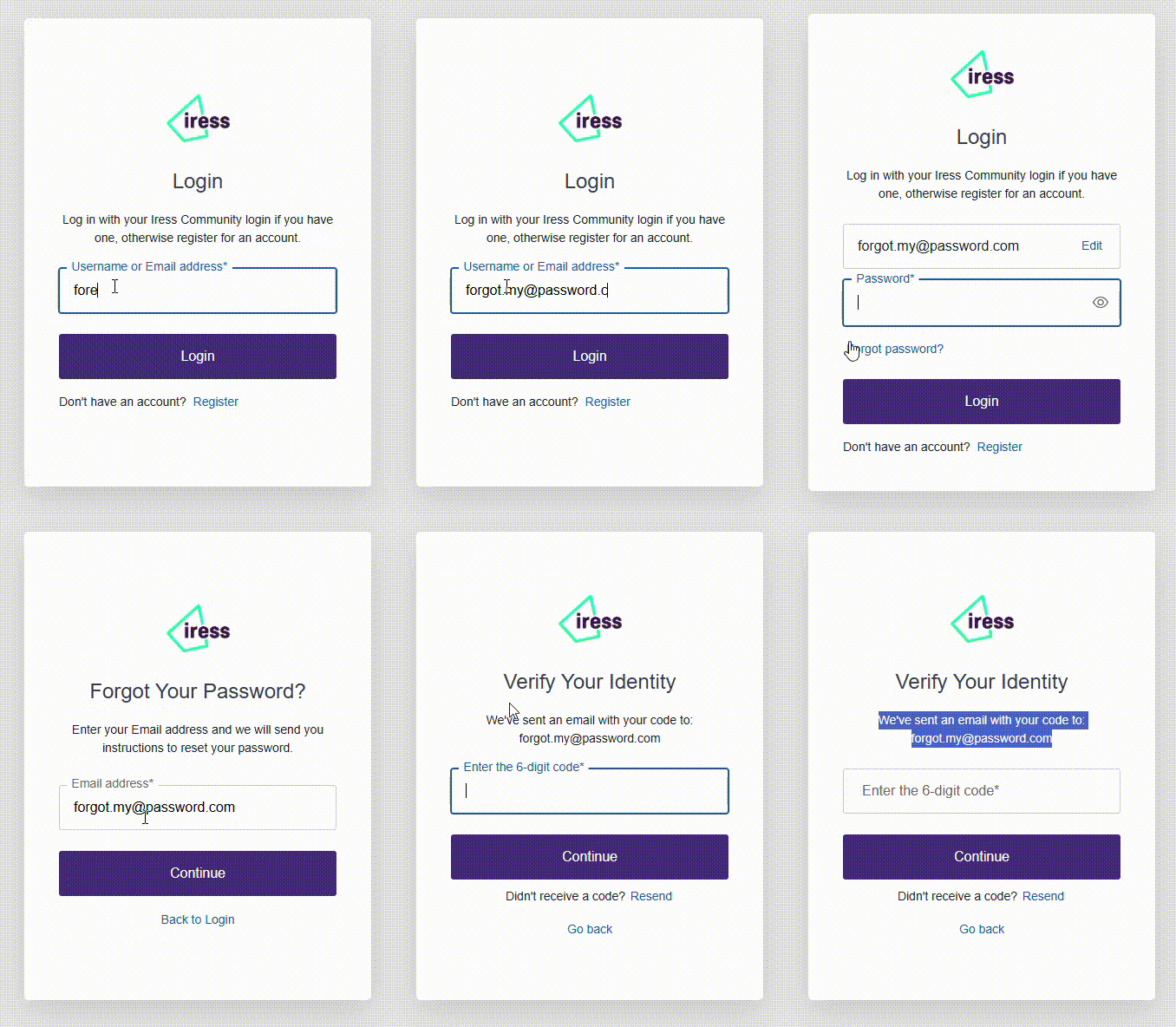
On the IressID login page you can reset the password by putting in your email and selecting "Login", then on the next page select "Forgot Password?". The animation below shows you how to do this. This will send you an email to reset your password. If you do not receive the email, then it may mean you never had an IressID or community account, so Register for a new account instead.
I know the email address and password to login but I have lost my authenticator app and can not complete the Multi-factor authentication (MFA). I have a recovery code but am not sure how to use it.
On the MFA prompt screen, select the option "Try another method", then select "Use recovery code". You will then be prompted to enter your recovery code. After you have entered your recovery code, you will receive a new recovery code so make sure you store this in a safe place. It would be beneficial to visit the user portal first as this will let you setup your authenticator app again straight away.
I know the email address and password to login but I have lost my authenticator app and can not complete the Multi-factor authentication (MFA). Furthermore I do not have a recovery code.
To reset your MFA, visit the User portal (more instructions follow the link):
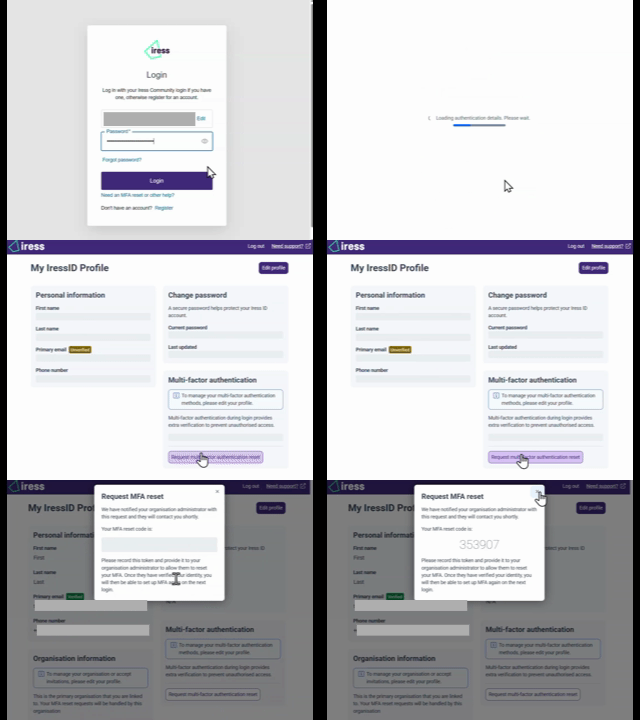
You will be able to login with just your email and password. Once logged in, you can reset your MFA settings by selecting the MFA Reset action from the lower right of the page. Follow the instructions provided there as they will be unique to your account. A video of the process is shown below for reference.
I attempted to login a few times and then got locked out, now on login it says "Your account has been blocked after multiple consecutive login attempts".
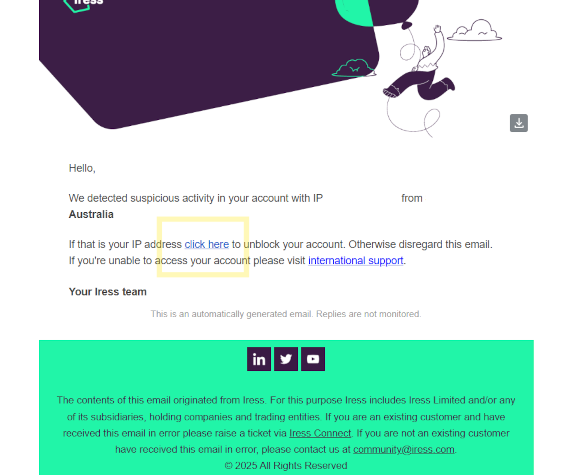
First make sure you are using your email address and not your Xplan username to login. If you are using the correct email address, then you will have received an email with instructions on how to unlock your account. If you did not receive this email, please check your spam/junk folder. The link in the email shown below will unlock your account.
Hopefully the above helps you obtain access. If not, please reach out to your Iress representative or the Iress support team for further assistance.
Alternatively you can select another application:
Alternatively if you need help, you can contact: